01 — Today
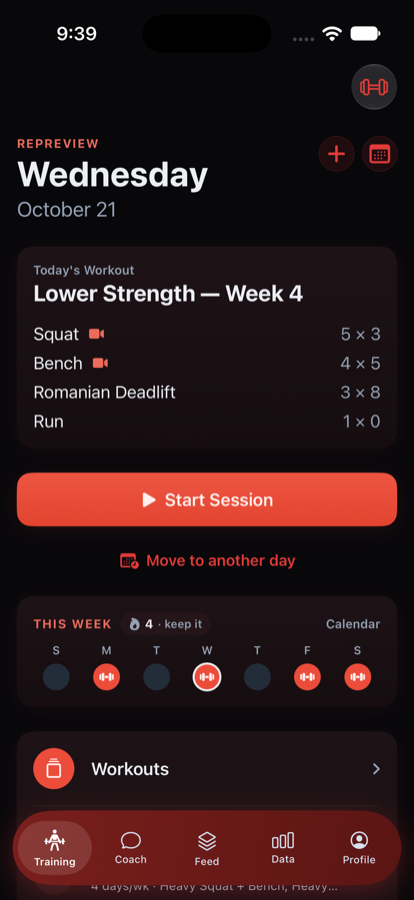
Open the app, the day is there
Whatever the coach wrote for today. Start the session, answer the readiness check, work down the list in any order — and the sets the coach wants on video are already marked, so nobody has to remember which ones to film.
Written by your coachAny orderFilm-this-set marked
02 — Filming
Hit record on that set
No bar sensor, no wearable, no rig. The set is filmed inside the app — prop the phone, tap record, and lift. When the bar is racked the clip goes straight to your coach, attached to that exact set.
Filmed in-appNo hardwareSent to your coach
03 — The grade
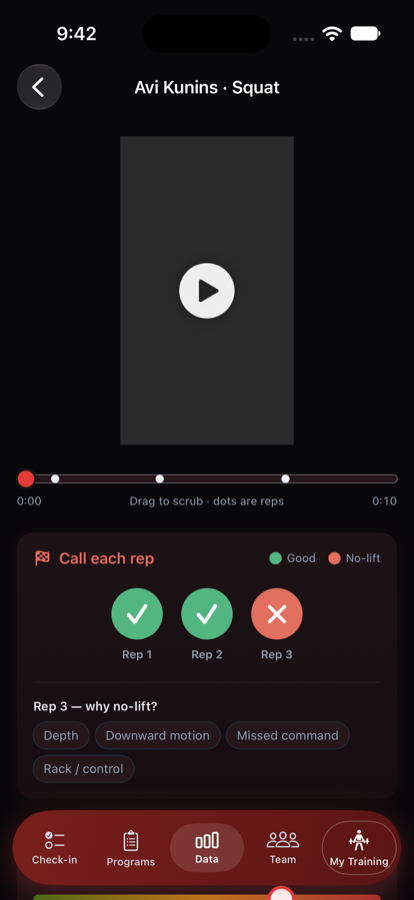
Every rep gets a call
Your coach scrubs the clip — the dots on the bar are the reps — and calls each one good or no-lift, the way a judge would. A no-lift picks up a reason: depth, downward motion, a missed command, rack control. Plus how hard the set really looked.
Good / no-lift per repReasons, not guessesEffort the coach saw
04 — Feedback
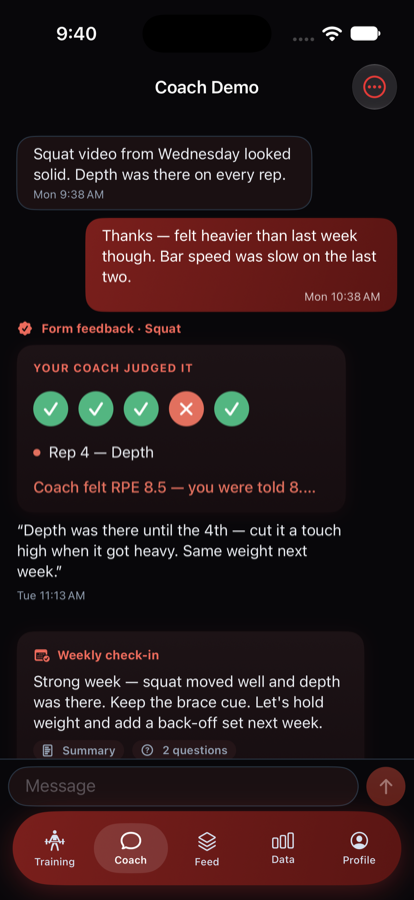
Back in minutes, on the rep
The grade lands in the thread with a note tied to the exact rep — "depth was there until the fourth, cut it a touch high when it got heavy." No scrubbing a camera roll, no separate app. The athlete sees it the next time they open their phone.
Note on the repOne threadWeekly check-in too
05 — Check-in
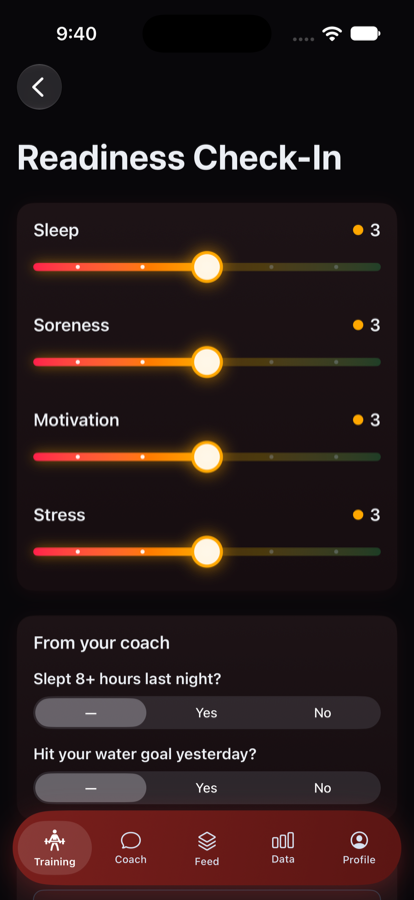
How training actually felt
Sleep, soreness, motivation, stress — a few taps before or after a session — plus any questions the coach added for this athlete. It's how the numbers get context: a rough week shows up here before it shows up in the lifts.
Readiness in secondsCoach's own questionsFree text never stored
06 — Data
Training that adds up
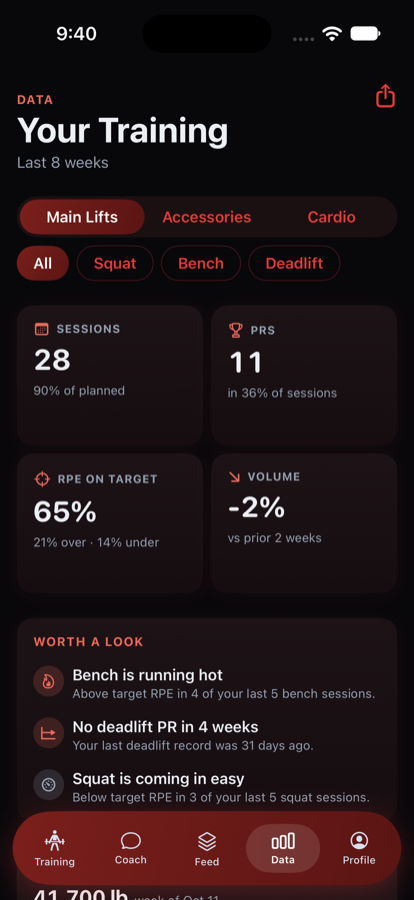
Sessions against plan, PRs, how often effort landed on target, volume moving up or down — built from the sets already being logged. "Worth a look" surfaces what a coach would notice anyway: a lift with no PR in weeks, a bench running hot.
90% of plannedRPE on target 65%Worth-a-look flags
07 — Feed
A team that trains out loud
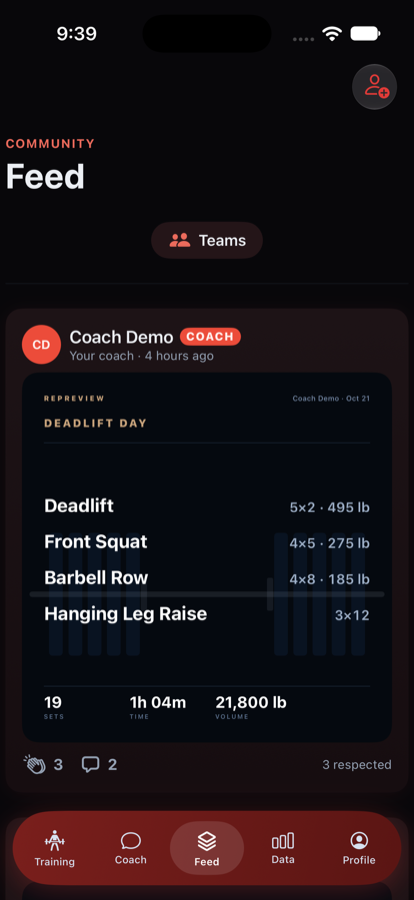
Opt-in posts when someone finishes a session — the day's lifts, volume, time — with Respect instead of likes. It's the part that keeps a remote roster feeling like a team, not a spreadsheet. Off unless you turn it on.
Sessions, not selfiesRespect, not likesOpt-in
08 — The dashboard
Your whole roster, your columns
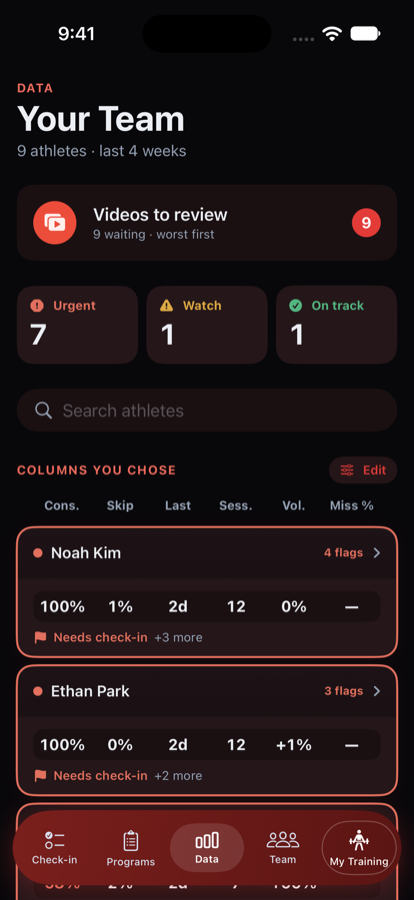
One screen for the team, and you pick what it shows — consistency, skips, last session, volume, missed lifts, your own adherence questions. Flags sort the athletes worth opening first, and the filmed sets queue up worst-first.
Columns you chooseFlags at a glanceWorst-first review
09 — The roster
Who needs you today
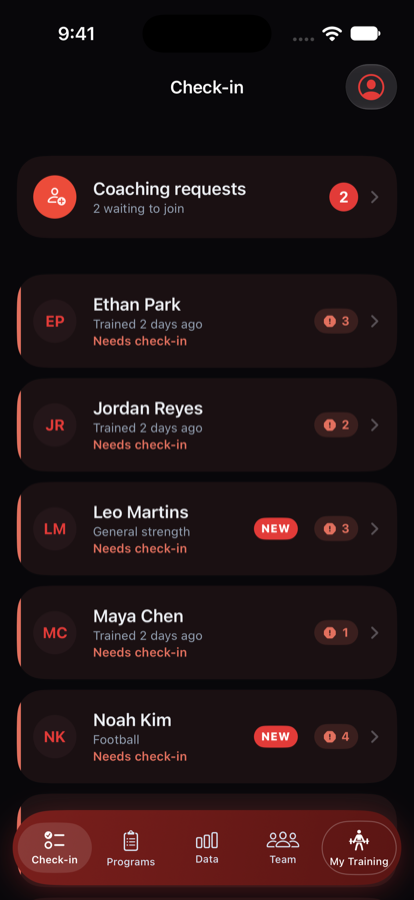
Who trained, who's flagged, who's waiting on a check-in. Red edges mark the athletes to open first, and a new signing arrives with their sport, experience and training days already filled in — ready to program for on day one.
Needs-check-in firstNew-athlete profileRequests to join